

Overview
- Release Notes and Announcements
- Product Introduction
- Purchase Guide
- Getting Started
- Console Guide
- Overview
- Creating Tasks
- Tasks
- Orchestrations
- Templates
- Resource Packs
- Video Evaluation
- AIGC Content Generation
- Terminal SDK
- Subtitle Editing Tool
- Usage Statistics
- Cloud Access Management Sample
- AIGC and Multimodal Understanding Integration Tutorial
- AI Video Generation
- AI 3D Generation
- AI Voice Generation
- Integration Tutorials
- Audio/Video Transcoding Integration
- Audio/Video Enhancement Integration
- Audio Separation Integration
- Integration of Digital and Visible Watermarks
- Media AI Integration Tutorial
- Smart Subtitle Access Tutorial
- Smart Erase Tutorial (New)
- Smart Erase Tutorial (Old)
- AI Dubbing (excluding erasure) Integration
- One-stop Video Translation Access
- Intelligent Highlights Tutorial
- Video Splitting (Long Videos to Short Videos) Tutorial
- LLM Summarize Tutorial
- Video Remake Access
- Horizontal-to-Vertical Video Transformation Tutorial
- Music Identification Integration
- Media Quality Inspection Integration
- Terminal SDK integration
- MPS Live Stream Recording integration
- DRM integration
- Other tutorials
- Application Scenario and Practical Tutorial
- API Documentation
- History
- Introduction
- API Category
- Making API Requests
- Processing Task Initiation APIs
- Task Management APIs
- Event Notification Parsing APIs
- Transcoding and Enhancement Template APIs
- Watermark Template APIs
- Screenshot Template APIs
- CreateAnimatedGraphicsTemplate
- CreateSnapshotByTimeOffsetTemplate
- CreateSampleSnapshotTemplate
- CreateImageSpriteTemplate
- DeleteAnimatedGraphicsTemplate
- DeleteSnapshotByTimeOffsetTemplate
- DeleteSampleSnapshotTemplate
- DeleteImageSpriteTemplate
- DescribeAnimatedGraphicsTemplates
- DescribeSnapshotByTimeOffsetTemplates
- DescribeSampleSnapshotTemplates
- DescribeImageSpriteTemplates
- ModifyAnimatedGraphicsTemplate
- ModifySnapshotByTimeOffsetTemplate
- ModifySampleSnapshotTemplate
- ModifyImageSpriteTemplate
- Media AI Template APIs
- CreateSmartEraseTemplate
- CreateSmartSubtitleTemplate
- CreateSubtitleEmbedTemplate
- CreateContentReviewTemplate
- CreateAIAnalysisTemplate
- CreateAIRecognitionTemplate
- DeleteSmartEraseTemplate
- DeleteSmartSubtitleTemplate
- DeleteSubtitleEmbedTemplate
- DeleteContentReviewTemplate
- DeleteAIAnalysisTemplate
- DeleteAIRecognitionTemplate
- DescribeSmartEraseTemplates
- DescribeSmartSubtitleTemplates
- DescribeSubtitleEmbedTemplates
- DescribeContentReviewTemplates
- DescribeAIAnalysisTemplates
- DescribeAIRecognitionTemplates
- ModifySmartEraseTemplate
- ModifySmartSubtitleTemplate
- ModifySubtitleEmbedTemplate
- ModifyContentReviewTemplate
- ModifyAIAnalysisTemplate
- ModifyAIRecognitionTemplate
- Media AI—Hotword Lexicon APIs
- Media AI—Sample Management APIs
- Media Quality Inspection Template APIs
- Live Streaming Recording Template APIs
- Orchestration Management APIs
- Data Statistics APIs
- StreamLink—Security Group Management APIs
- AI Generation APIs
- Image Processing Template APIs
- Media AI – Episode Management APIs
- Media AI – Dubbing APIs
- AIGC scenario application APIs
- Other APIs
- Data Types
- Error Codes
- Other Documents
- FAQs
- Related Agreement
- Contact Us
- Glossary
Menu
Refund
Last updated: 2026-09-08 10:39:25Download PDF
Refunding Resource Packs
Refund policies
We may reject a refund request if we suspect refund abuse.
If you request a refund for a resource pack, the refund amount will be calculated based on the remaining value of the resource pack and returned to your Tencent Cloud account.
Attention:
Discounts and vouchers will not be returned.
The credits will be returned to the account that made the purchase.
Directions
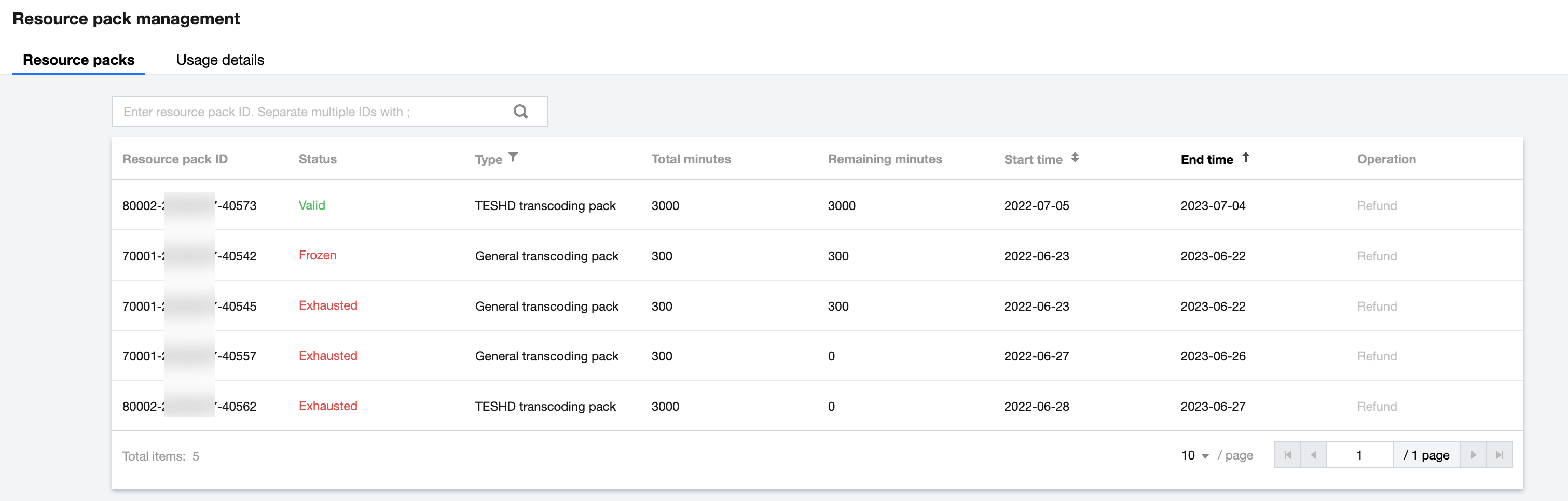
1. Log in to the MPS console and select Resource Pack Management on the left sidebar.
2. Find the resource pack you want to return and click Refund on the right.
Attention:
Other Refunds
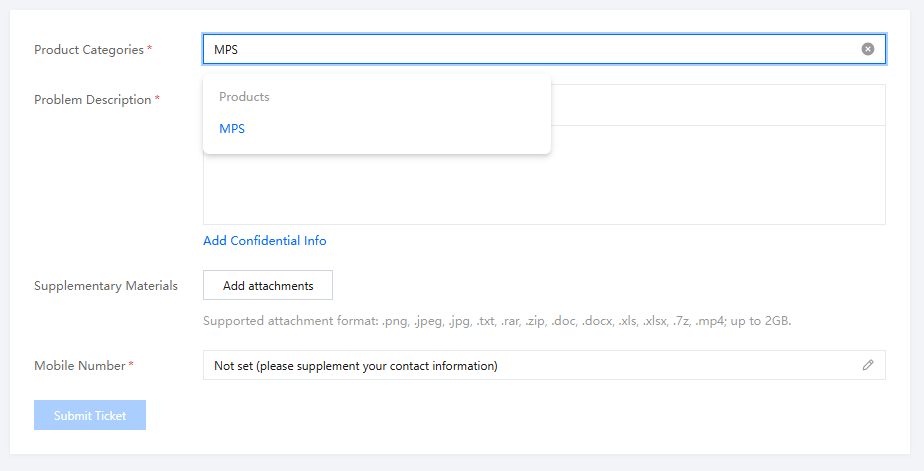
1. Select the Product Related to the Issue
Log in to the MPS console and choose Tickets > Submit Ticket. Then, search for "Media Processing" and click MPS.
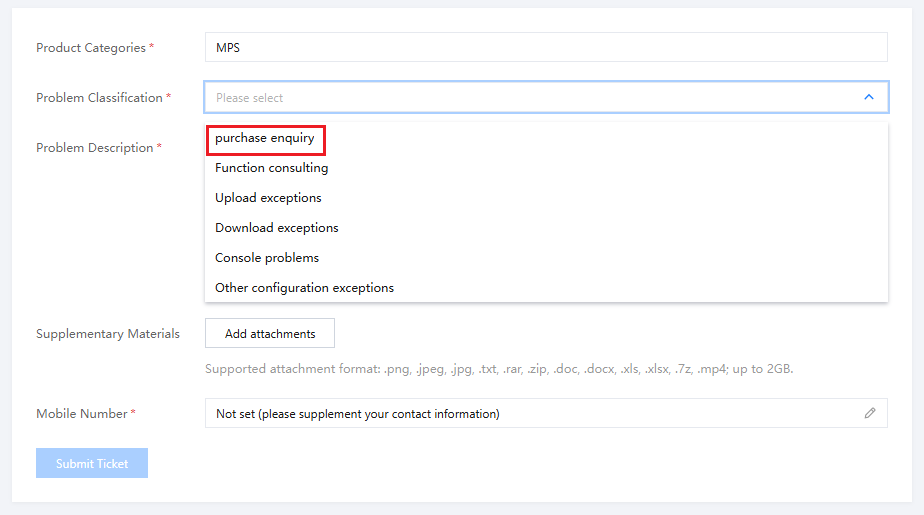
2. Select the Issue Type
Select purchase enquiry.
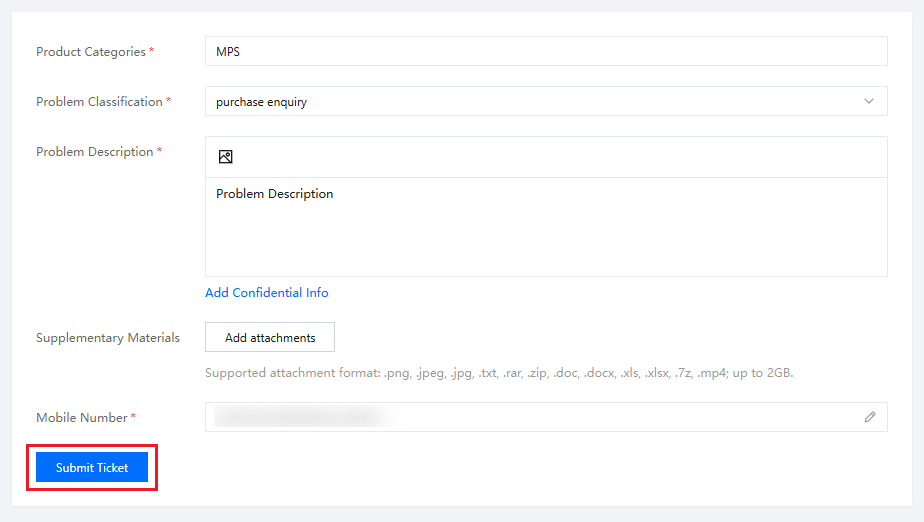
3. Submit a Ticket
Fill in the information and click Submit Ticket.
Note:
We will process your refund request as soon as possible.